
Set Up Your Artist Shop
Your Artist Shop is your own space on Art is Lit where customers can discover more about you and your work. Add your shop name, profile picture, banner, artist biography and other important details to create a welcoming space that reflects you and your art.
Tip: You don’t need to complete everything at once — you can return to your Studio Settings and update your information whenever you like.
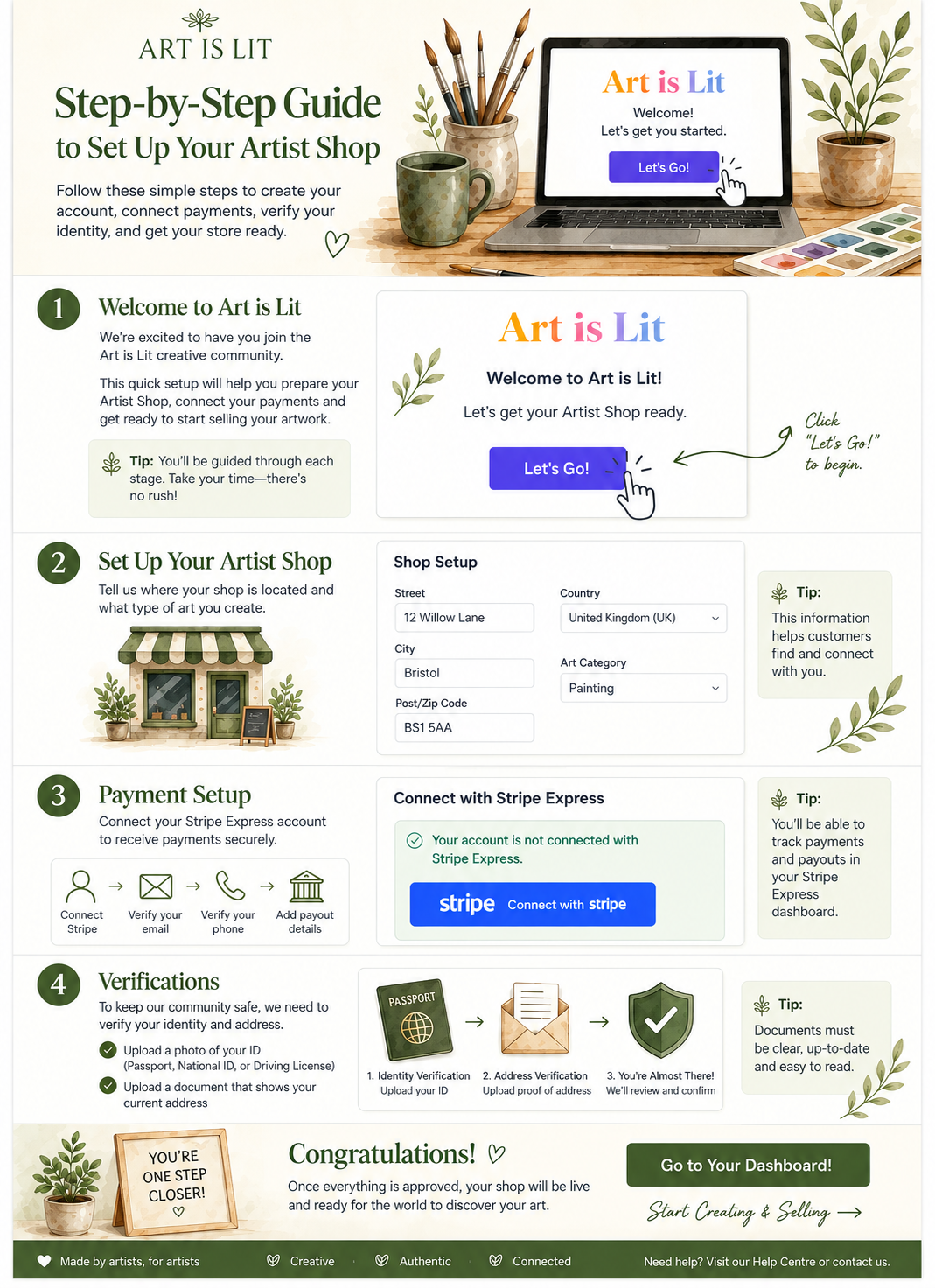
What the Artist Shop Setup Guide Covers
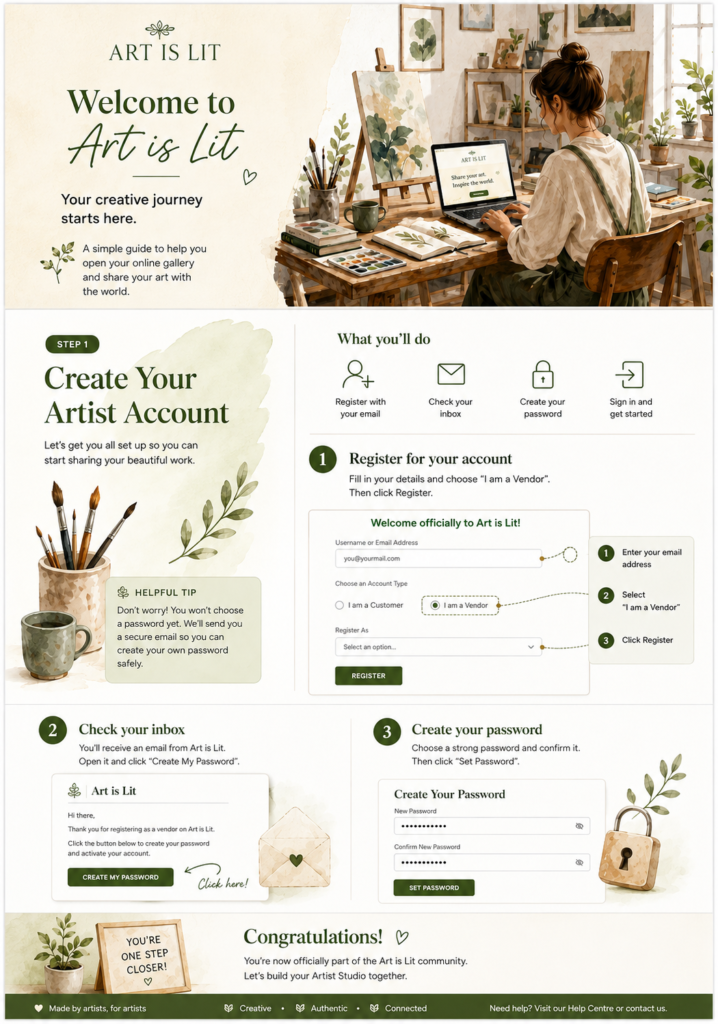
- Create Your Artist Account
Register with Art is Lit, confirm your email and create your password. - Set Up Your Artist Shop
Personalise your shop with your name, profile image, banner, artist biography and important studio information. - Connect Your Payments
Connect Stripe Express securely so you can receive payments from your art sales. - Complete Identity Verification
Verify your identity and provide the required proof of identity and address. - Set Up Shipping & Delivery
Add your shipping details, delivery costs and processing times so buyers know how their artwork will reach them.
Ready to begin? Follow our step-by-step guide by clicking the link below.
>For Help with Artist Shop Setup Guide Click here<
What the Artist Selling Guide Covers
1. Add & Sell Your Artwork
Learn how to add a product, upload photos, write your description, set your price and publish your work.
2. Sell Digital Products
Learn how to upload and sell digital artwork or photography for customers to download.
3. Shipping & Delivery
Set your shipping costs, shipping classes and delivery options correctly.
4. After a Sale – What Happens Next
Learn how to prepare and package your order, add tracking and keep the buyer updated from dispatch to delivery.
5. Returns & Refunds
Learn how to handle returns and refunds clearly and professionally if they are needed.
Ready to start selling? Follow our step-by-step Artist Selling Guide below.