
Welcome to Selling on Art is Lit
Once your Artist Shop is set up, you’re ready to enjoy the creative part!
Complete your shop details so buyers can get to know you and your art. Your identification keep our marketplace trusted, your bank details allow you to get paid, and correct shipping settings make selling easier.
Then, whenever you create something new — take a photo, add it to your shop and voilà!
No pressure, just create and enjoy. This guide will help you add products, manage shipping after a sale, and handle refunds smoothly.
To set up your Artist Shop correctly, please click the link below and follow our step-by-step Artist Shop Setup Guide.👇
>For Help with Artist Shop Setup Guide Click here<
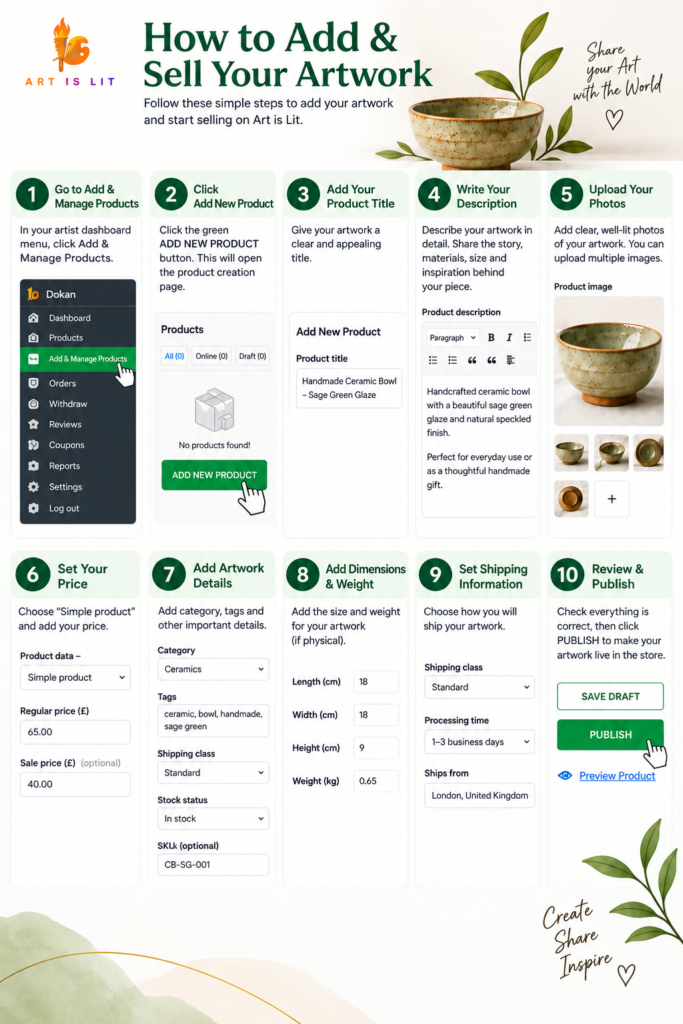
Step 1 – Add Your First Artwork.
It’s time to bring your art to your Artist Shop! Follow these simple steps to create a beautiful, informative listing that helps buyers discover and understand your work.
Before you publish, remember to:
- Use clear, high-quality photos with good lighting and show your artwork from different angles.
- Write a great description — tell buyers about the artwork, materials, inspiration and what makes it special.
- Choose the correct category so your artwork is easier to find.
- Set your price carefully and value your work fairly.
- Add accurate dimensions and weight, as these may be important for delivery.
- Check your shipping information and make sure it is correct.
- Review everything before publishing — check your photos, spelling, price and product details.
🌿 Quick Tips Before You Publish
- 📸 Photos: Clear, bright and from different angles.
- 🗂️ Category: Choose the correct category.
- 📝 Description: Keep it clear and accurate.
- 🔎 Imperfections: Always mention and show them.
- 📦 Stock: Enter the correct quantity available.
- 🎨 Attributes: Add colour, material and other useful details.
- 📏 Size & Weight: Enter accurate measurements.
- 🚚 Shipping: Choose the correct shipping class and check your delivery settings.
- 👀 Final Check: Review everything before publishing.
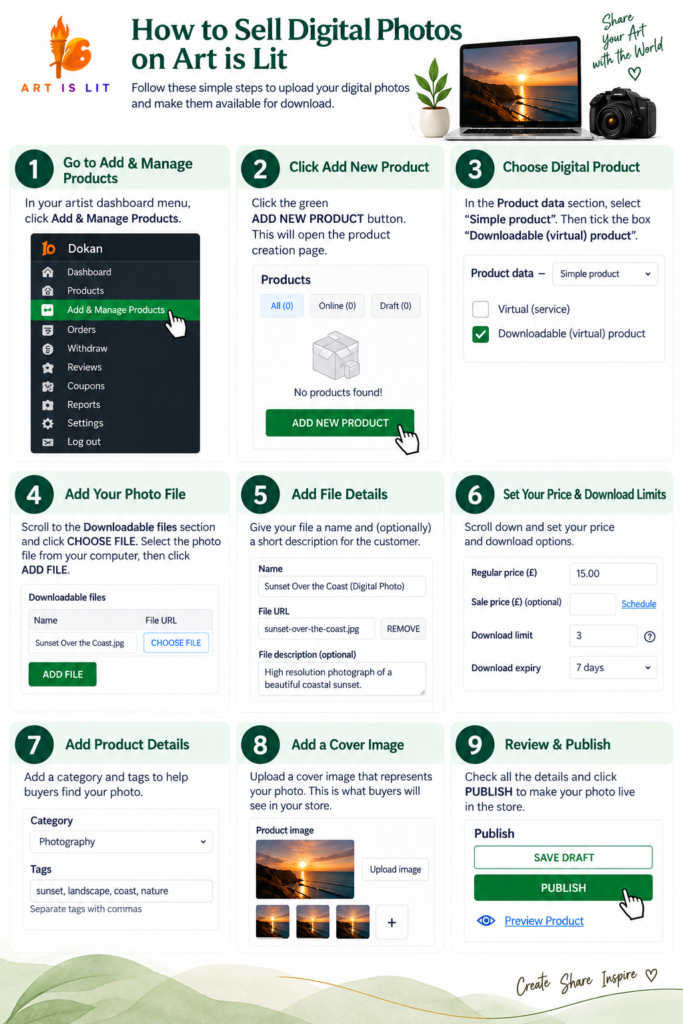
Step 1.1 – Upload a Photo to Sell Digitally
If you would like to sell your photography or digital artwork, follow the simple steps below to upload your file, add the important details and price, and make it available for customers to purchase and download.
🌿 Tips for Digital Products
- 📸 Quality: Upload a clear, high-resolution file.
- 🖼️ Cover Image: Use an attractive preview of your work.
- 📝 Description: Clearly explain what the buyer will receive.
- 🗂️ Category: Choose the correct category.
- 💷 Price: Set a fair price for your digital work.
- 📁 File: Double-check you uploaded the correct file.
- ©️ Copyright: Only sell work you own or have permission to sell.
- 👀 Final Check: Review everything before publishing.
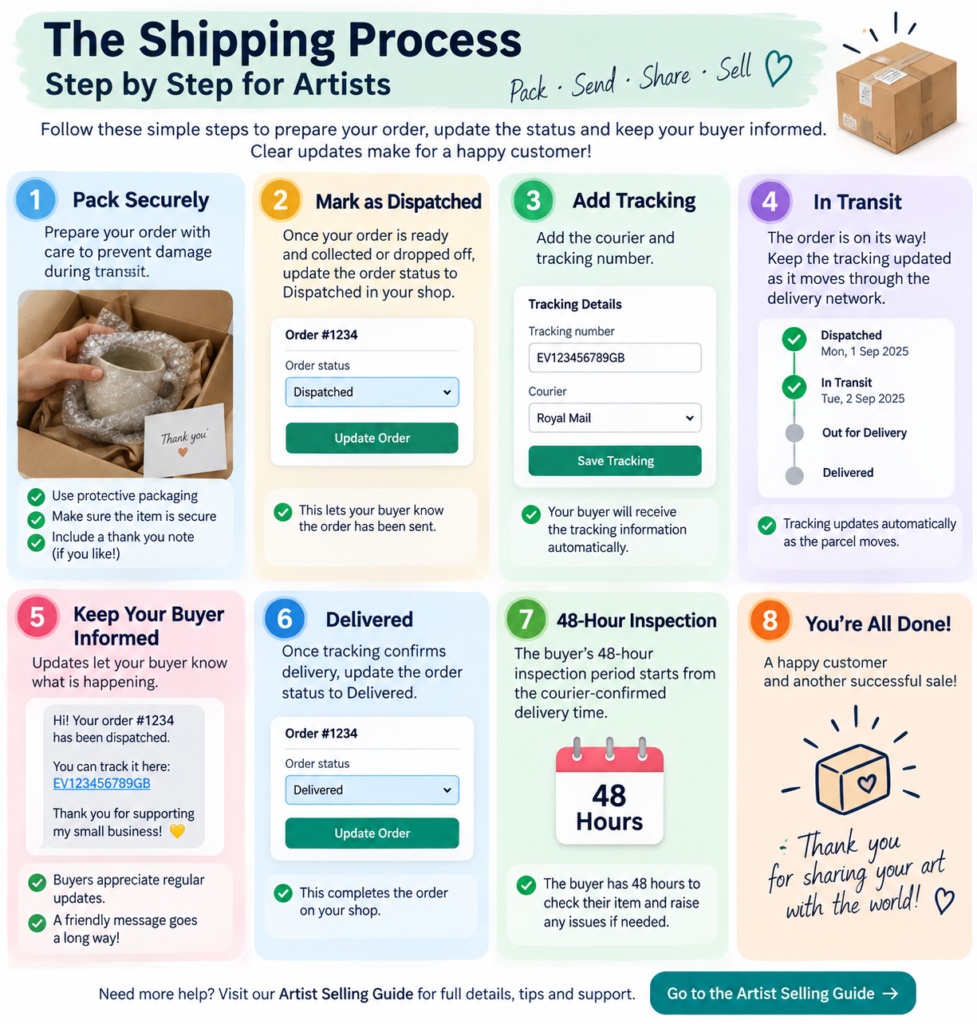
Step 2 – After a Sale – What Happens Next 📦
Congratulations on your sale! 🎉 Now it’s important to prepare your order carefully and keep your buyer updated.
- 📦 Pack Securely: Protect your artwork with suitable packaging to prevent damage or disappointment during transit.
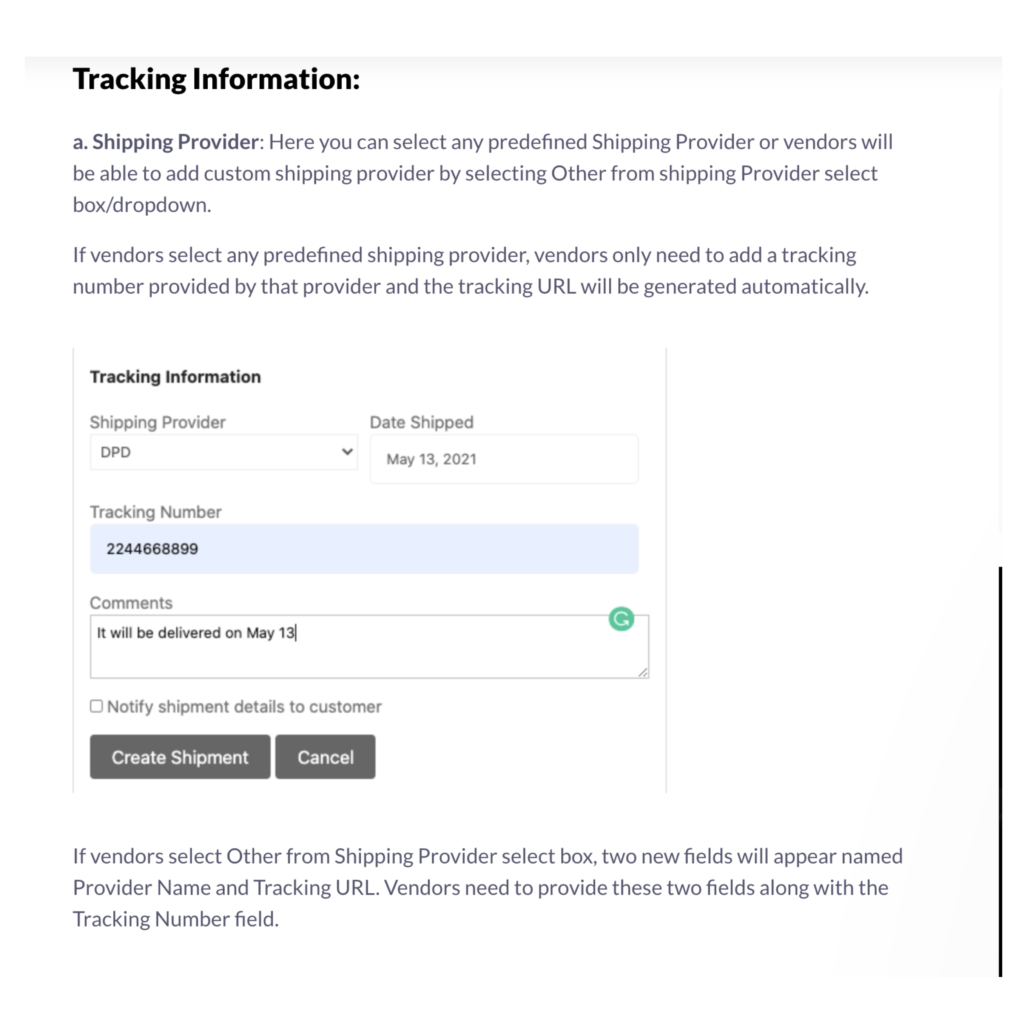
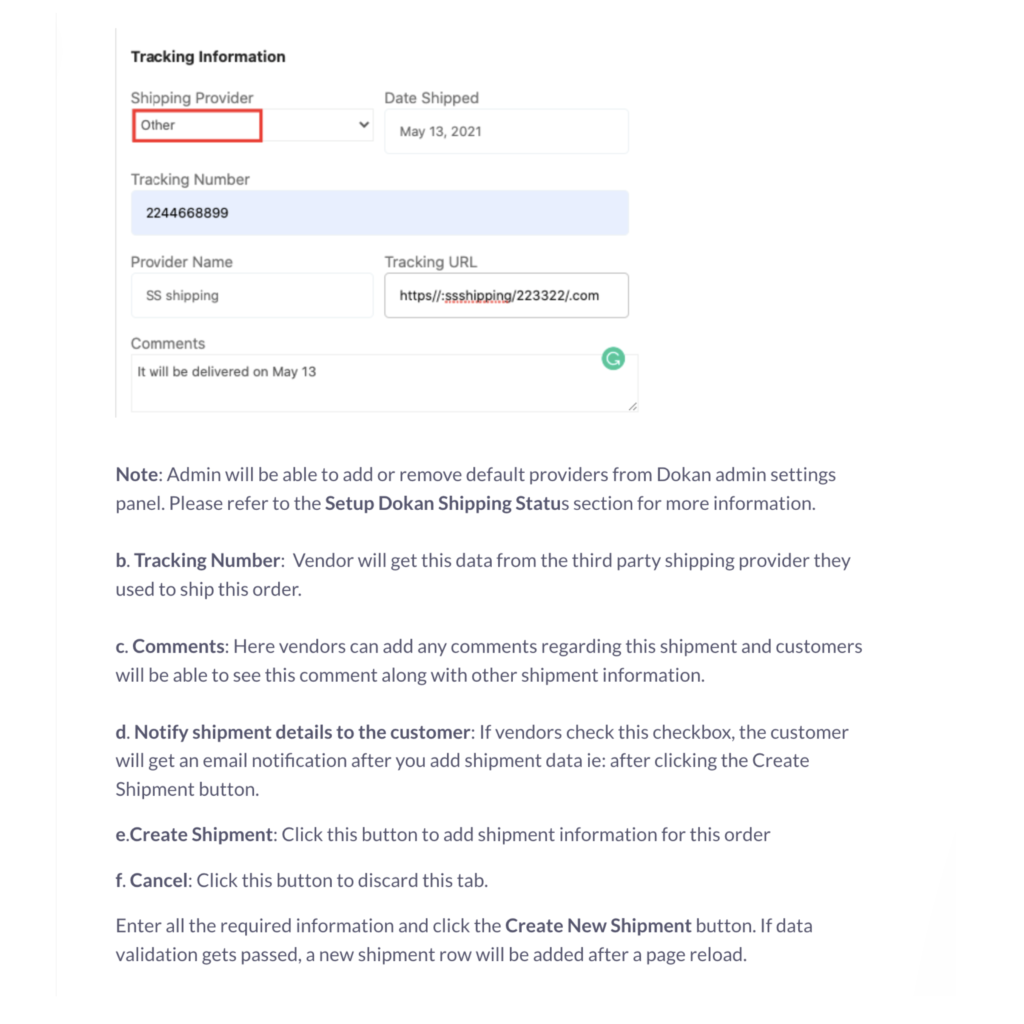
- 🔗 Add Tracking: Add the courier and tracking number.
- 🚚 Dispatched: Update the status when the order has been sent.
- 📍 In Transit: Keep the shipping status updated.
- 🔔 Keep Your Buyer Informed: Updates let your buyer know what is happening.
- ✅ Preparing for Dispatch
✅ Dispatched
✅ In Transit
✅ Delivered - 📦Delivered: Update the status once tracking confirms delivery.
- ⏰ 48-Hour Inspection: The buyer’s 48-hour inspection period starts from the courier-confirmed delivery time.
Important: Keep an eye on the tracking so you know when the order has been delivered.
Step 3 – Returns & Refunds – What Happens Next?